Windows Setup Guide
Follow these 6 simple steps to get Cheating Dev running perfectly on your PC.
Download & Install
Get the latest version of the app.
Run the installer executable (.exe) after downloading.
First Run
Launch the app and handle Windows security check.
Windows SmartScreen prevented an unrecognized app from starting.
If you see this popup:
Double-click the .exe or shortcut to start.
Open App & Login
Launch user-friendly app and sign in with your account.
Setup Inference API
Get your free API key for fast inference.
Verify Permissions
Ensure Firewall and Audio settings are correct.
Windows Defender Firewall
On the first run, you may see a security alert. You must click Allow access to enable API calls.
Microphone Access
If audio capture fails, go to Settings → Privacy → Microphone and ensure "Allow apps to access your microphone" is ON for Cheating Dev.
Restart PC & App
Restarting ensures all permissions are applied correctly.
Getting "DLL initialization routine failed"?
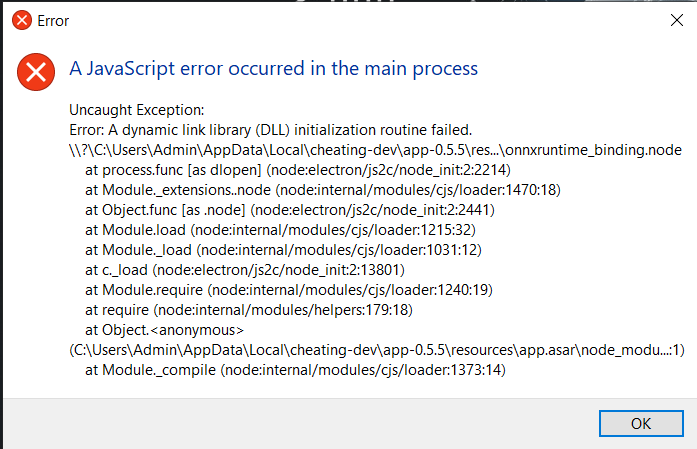
Don't worry, this is a common issue on Windows. It just means your PC is missing a standard Microsoft component required for our AI engine to run accurately.
Download Visual C++ Redistributable
Click here to download (Official Microsoft Link)Install & Restart
Run the installer, then Restart your PC. The app will work perfectly after this.
Ready to Dominate?
Return Home